Spending your weekend working overtime in a hotel, staring at a 13-inch laptop screen for two hours until your eyes feel as sour as a squeezed lemon; trying to play Overcooked with friends at a party, only to find the TV hijacked by a bunch of rowdy kids; or even at a café, struggling to manage a split-screen on a tablet where the icons are so cramped your fingers feel like they're tripping over each other... In moments like these, don't you find yourself daydreaming about a "portable big screen" to save the day?
Truth be told, what you actually need is a monitor that knows how to "go solo." It has long outgrown its role as a mere PC accessory. Instead, it’s evolved into a versatile powerhouse—part gaming rig, part binge-watching station, and part mobile workstation.
Monitors and Computers: Who’s Really Depending on Whom?
Let’s clear up a common misconception: a monitor doesn’t have its own CPU, memory, or operating system. Think of it as a "translator"—its job is to take video signals from another device and "translate" them into images on the screen. That "other device" could be a game console, a smartphone, a camera, or even a USB drive. As long as the device can output a video signal, the monitor can do its job.
In other words, a monitor has never been "dependent" on a computer. We’ve just spent decades habitually tethering them together, which created this misunderstanding. It’s a lot like headphones: you can pair them with your phone via Bluetooth or plug them into a record player with a cable. Which one you choose simply depends on what you need at that moment.
Not All Monitors Are Meant for the "Solo Life"
While it’s technically true that any monitor can work without a PC, that doesn't mean you should try to make every screen go solo. In fact, for certain types of displays, staying tethered to a computer is exactly where they belong. It really comes down to the design of the hardware:
I. Desktop & Traditional Gaming Monitors: The Fixed-Location "Pros"
These monitors are built for a permanent setup. They rely on wall outlets for power and are usually quite bulky. They are perfect for long-term connection to a PC or a home console. For instance, if you’ve built a high-performance rig with a 27-inch 4K screen for Cyberpunk 2077 or professional photo editing, the monitor’s "immobility" is actually an asset. After all, nobody wants to lug a tower and a giant screen on a business trip.

II. Portable Monitors: The Agile "Problem Solvers"
These are specifically designed to thrive away from a computer. Most support USB-C "One-Cable" connection (handling both video and power) and can even be powered by a portable power bank. Imagine you’re on a business trip and want to play your Switch on a decent screen in your hotel room, or you’re filming a video and need a real-time monitor to check your shots—this is where the portability and flexibility of a portable monitor become essential.
To put it simply: A standard monitor is your "fixed workstation," while a portable monitor is your "mobile toolkit." Your choice depends on whether you need a permanent powerhouse or a screen that can save the day anywhere.

Real-World Scenarios Where a Portable Monitor Truly Shines "On Its Own"
How exactly does the "solo" capability of a portable monitor solve real-world headaches? Here are a few scenarios that might feel all too familiar:
Scenario 1: Turning a Dorm or Hotel Room into a Instant "Game Room"
For students in cramped dorms, there’s often no room for a bulky PC tower. For business travelers in hotels, you might want to relax with Animal Crossing on your Switch, only to find the TV is outdated or awkwardly placed. This is where a portable monitor with USB-C "One-Cable" support saves the day. Plug your Switch directly into the screen with a single cable, and suddenly you have a 15-inch gaming rig. You can enjoy your "island life" right from the comfort of your bed.

Scenario 2: The "Mobile Workstation" in Cafés or Libraries
Trying to handle complex documents on a tablet can be a nightmare—once you split the screen, the text becomes as tiny as ants. Even on a laptop, a single small screen forces you to constantly alt-tab between windows. A portable monitor instantly expands your digital real estate. Whether you connect it to your smartphone or a mini-PC, you get a "dual-screen" setup on the go, making it a breeze to write reports while cross-referencing data.

Scenario 3: A Real-Time Monitor for Outdoor Shoots
When filming video, relying on the tiny built-in screen of a phone or camera to judge composition is a gamble—you’re always worried about missed focus or incorrect exposure. A lightweight portable monitor solves this effortlessly. Taking certain Arzopa portable models as an example: they support HDMI input, allowing you to connect your camera for a high-definition, real-time view of your shot. It’s far more efficient than squinting at a tiny camera display while crouching in the dirt.
Scenario 4: Your Personal "Entertainment Hub" on Long Trips
On a long flight, an iPad screen can feel a bit cramped for binge-watching. On a train, playing Genshin Impact on a small phone screen for hours is a recipe for eye strain. A portable monitor transforms your space into a "private cinema." Connect your phone or tablet, prop the monitor up on the tray table, and with a 1080P display and stereo speakers, even the longest journey becomes a lot more bearable.
How to Choose Your Portable Monitor?
If the idea of a portable monitor sounds like a game-changer, what exactly should you look for when buying one? Forget the marketing jargon and remember these three keywords: Ports, Power, and Scenario Fit.
I. Ports: "One-Cable" USB-C is Non-Negotiable
Priority number one: look for a model with a Full-Function USB-C port (supporting both video and power). This allows you to connect a Switch, smartphone, or mini-PC with a single cable—saving you from a tangled mess of wires. If you’re using older gear (like a PS4), make sure it also includes a standard Mini-HDMI port.
II. Power: Can a Power Bank Keep It Alive?
If you’re frequently on the move, you need a monitor that isn't tethered to a wall. Some portable monitors come with built-in batteries, but a more flexible option is a model that supports the USB-C PD protocol. This allows you to power the screen directly from a standard power bank when there’s no outlet in sight—perfect for outdoor use or long commutes.
III. Scenario Fit: Portability Trumps Specs
Choosing the right size is all about where you’ll be using it. If your primary "battle stations" are dorm rooms or hotels, go for a 15 to 17-inch model—the extra screen real estate is worth it. However, if you’re a true road warrior, a 13 to 14-inch model is the sweet spot; it slips into a backpack without taking up extra room. As for resolution (1080P is plenty) and brightness (300 nits is enough), don't get too bogged down in the numbers. The core strength of a portable monitor is flexibility, not "extreme high-end specs."
If You’re Looking for the "All-in-One" Solution: The Latest from Arzopa
When it comes to portable monitors, Arzopa has built a reputation for its "multi-device compatibility" and its "born to go solo" philosophy. Their previous models set a high bar by supporting USB-C one-cable connections and power bank compatibility—essentially solving the headache of "too many devices and too much cable clutter" in mobile scenarios.
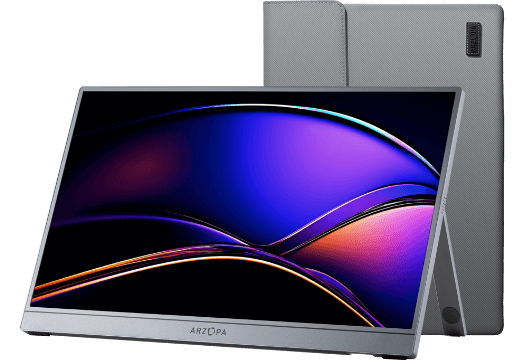
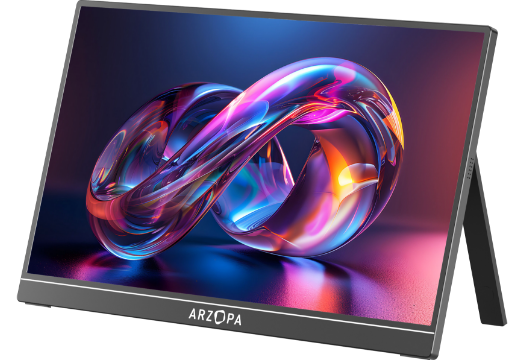
The Arzopa Z3FC takes this a step further. It is a Portable Gaming Monitor designed specifically for gamers, featuring significant optimizations in portability, connectivity, and real-world adaptability:
Lighter and Thinner Chassis: With a 14-inch screen and weighing in at less than 1kg, it’s practically unnoticeable in your backpack. It’s the ultimate "zero-burden" companion for business trips or vacations.
Comprehensive Port Selection: Equipped with USB-C, HDMI, and Mini DP, it connects to almost every mainstream device—Switch, PS5, Xbox, smartphones, and mini-PCs are all covered.
Smarter Power Management: It supports 65W PD fast charging. When connected to a laptop, it can actually charge the computer, allowing a single cable to handle both power and video transmission.
Gaming-Specific Optimizations: With built-in FreeSync technology and a 144Hz high refresh rate, gameplay in titles like CS2 or Genshin Impact stays buttery smooth without screen tearing or input lag.
Versatile Scenario Coverage: From dorm rooms and hotels to outdoor shoots and long commutes, this single screen handles gaming, productivity, and binge-watching effortlessly.
If you’re hunting for a portable monitor that can "truly fly solo," the Z3FC is likely the most noteworthy choice on the market right now. It’s not trying to be a "spec monster"—instead, it’s a tool designed for the mobile life, focusing on making your experience as seamless and stress-free as possible.
Conclusion: The Limits of Your Monitor Are Set Only by Your Imagination
From dorm rooms to hotel suites, and from quiet cafés to the great outdoors, the ability of a monitor to "go solo" is ultimately about breaking free from the "computer-dependent" mindset. It’s about achieving "screen freedom" wherever you happen to be.
The next time you find yourself wishing for a "portable big screen," try to think outside the box of traditional desktop setups. Perhaps all you really need is a portable monitor like the Z3FC—something flexible enough to adapt to whatever device you have in your hand. After all, isn't the true purpose of technology to make tools that adapt to us, rather than forcing us to adapt to our tools?
So, have you decided which screen you'll be using for your next game or movie?
FAQs
How do I know if my monitor is compatible with my devices?
To check if your monitor is compatible with your devices, look at the types of ports they have. If both the monitor and device have the same type of connector, like HDMI or USB-C, they should work together. You can also check the monitor's user manual or the manufacturer's website for more details.
What features do smart monitors have?
Smart monitors have built-in features that make them special. They can use Wi-Fi to stream shows, have apps like Netflix or YouTube, and sometimes even let you play videos from a USB or SD card. This makes them more versatile compared to regular monitors!
Why might I need a monitor without a PC?
There are many reasons you might want a monitor without a PC! For entertainment, you can watch movies or play games using other devices. It's also great for presentations or viewing photos. Monitors expand what you can do with devices without needing a bulky computer.


![[Top picks] Xmas Gift Ideas for Teachers in 2025](http://www.arzopa.com/cdn/shop/articles/xmas-gift-ideals-for-teachers_7de59833-05ed-4a3b-9d3f-e07289eb37be.webp?v=1765877572&width=1)