Few things are as distracting as dimming the lights for a movie or a game, only to notice a hazy, yellowish glow creeping in from the corner of your screen. It’s one of those "once you see it, you can’t unsee it" moments—and it’s particularly frustrating when it happens on a display you’ve just invested in. This is backlight bleed. It is essentially a physical leak where unintended light escapes through the gaps in the screen's edges or corners. As we’ve all become more attuned to display quality, understanding why this happens has moved from a niche tech curiosity to a practical necessity.
But why does it manifest in the first place, and more importantly, is it something you can actually fix? To answer that, we have to look at the physical construction of these panels, the environmental factors that can make the leakage worse over time, and the realistic steps—ranging from software tweaks to physical adjustments—that might help you reclaim your viewing experience.
The Root Causes:Why Does Backlight Bleed
Backlight bleed occurs due to a combination of factors related to the construction and manufacturing of displays. Let's delve into the primary causes:
Pressure on screen and its effects on backlight alignment
Backlight bleed happens because of how LCD and LED screens are built. Think of a monitor as a stack of layers—backlight at the back, then a diffuser, then the liquid crystal panel. Ideally, all these layers line up perfectly, and the light only goes where it should.
But in reality? Not perfect. Pressure on the panel during manufacturing or shipping can shift layers slightly. Tiny gaps form. Light escapes. That’s the basic mechanics.

Age and wear as contributing factors to backlight bleed
While backlight bleed can be present in new displays, it can also worsen over time due to age and wear. As displays age, their components may weaken, potentially causing:
- Increased separation between panel layers
- Deterioration of sealing materials
- Changes in the display's physical structure due to temperature fluctuations or environmental factors
These factors can exacerbate existing backlight bleed or cause new instances to appear in previously unaffected areas of the screen.
Manufacturing defects and their role in backlight issues
Quality control during the manufacturing process plays a crucial role in minimizing backlight bleed. However, due to the complexity of modern displays and the need for mass production, some level of manufacturing defects is inevitable. Common manufacturing-related issues include:
- Improper sealing of panel edges
- Inconsistent pressure application during assembly
- Variations in component quality
It's worth noting that some degree of backlight bleed is considered acceptable by manufacturers due to these manufacturing tolerances. However, excessive bleeding may indicate more severe quality control issues.
How Backlight Bleed Impacts Your Viewing Experience
The impact of backlight bleed on your viewing experience can range from barely noticeable to significantly distracting, depending on the severity and your specific use case.
Visual impact on image quality and color accuracy
Backlight bleed can manifest in several ways, each affecting image quality differently:
- Flashlighting: Bright spots typically located in the corners of the display, resembling the effect of a flashlight pointed at the screen.
- Clouding: Uneven patches of light visible on the display when a black screen is shown, often occurring alongside flashlight bleed.
- Edge bleeding: Light leakage along the edges of the screen, creating a halo effect around the display's perimeter.
These effects can lead to:
- Reduced contrast in dark scenes, making it difficult to discern details in shadowy areas
- Distorted color accuracy, particularly in areas affected by the bleed
- Decreased immersion during movies, gaming, or other visual content consumption

Long-term effects on screen performance and durability
While backlight bleed doesn't necessarily indicate a failing display, its presence can have long-term implications:
- Increased eye strain: Inconsistent lighting across the screen can cause eye fatigue during extended viewing sessions.
- Potential for worsening over time: As the display ages, backlight bleed may become more pronounced, potentially shortening the overall lifespan of the screen.
- Impact on resale value: Significant backlight bleed can decrease the resale value of a device, as it's often considered a defect by potential buyers.
Understanding these effects can help you make informed decisions about whether to address backlight bleed issues or consider replacing your display.
How to Test Your Monitor for Backlight Bleed
If you suspect your display might be suffering from backlight bleed, it's essential to perform a proper assessment. Here's a step-by-step guide to help you identify and evaluate backlight bleed:
Prepare your environment:
- Choose a dark room with minimal ambient lighting.
- Clean your screen using a microfiber cloth to remove any dust or smudges that might affect your perception.
Set up your display:
- Adjust your monitor's brightness to your normal viewing level, or slightly higher if you typically use it in bright environments.
- Allow your display to warm up for at least 30 minutes before testing.
Display a black image:
- Find or create a completely black image to fill your entire screen.
- Ensure your display is set to its native resolution for accurate results.
Observe the screen:
- Stand back about 2-3 feet from your display.
- Look for any areas of uneven brightness, particularly around the edges and corners.
- Note any patterns or particularly bright spots.
Test at different angles:
- View the screen from various angles to distinguish between backlight bleed and IPS glow (a phenomenon specific to IPS panels that changes with viewing angle).
- How do you tell the difference? This is where most people get stuck. Move your head from side to side or tilt the screen and watch those patches of light carefully. If the glow shifts, changes in intensity, or disappears as your viewing angle changes, you’re looking at "IPS Glow"—a standard, if occasionally annoying, characteristic of the panel technology. But if that light remains stubbornly anchored in the exact same spot regardless of where you stand? That is confirmed backlight bleed.
Document your findings:
- Take photos of your screen in a dark room to help you compare and track any changes over time.
- Be aware that cameras may exaggerate the appearance of backlight bleed, so use the photos as a reference, not a definitive measure.
Repeat the test:
- Perform the test multiple times over a few days to ensure consistent results, as backlight bleed can sometimes vary with temperature and usage.
Tools and methods for accurate backlight bleed assessment:
- Backlight bleed test websites: Various online tools provide standardized black screens and patterns to help identify backlight bleed.
- Colorimeter or spectrophotometer: For more precise measurements, professional color calibration tools can quantify brightness inconsistencies across your screen.
- Smartphone apps: Some apps are designed to help detect and measure backlight bleed, though their accuracy may vary.
Remember that some degree of backlight bleed is normal in most LCD displays. The key is to determine whether the level of bleed you're experiencing significantly impacts your usage or if it falls within acceptable limits for your needs.
Backlight Bleed vs. Time: Does it Lessen Over Time?
A common question among display users is whether backlight bleed improves or worsens over time. Let's explore this topic and separate fact from fiction.
Exploring the myth of backlight bleed diminishing with use
There's a persistent myth in some tech circles that backlight bleed will naturally decrease as a display is used. This belief likely stems from a misunderstanding of how LCD panels function and age. In reality:
- Backlight bleed typically does not improve on its own: The physical gaps or misalignments causing the bleed don't naturally correct themselves with use.
- "Breaking in" a display doesn't fix backlight bleed: Unlike some electronic components that may settle into optimal performance after initial use, LCD panel construction doesn't benefit from a break-in period in terms of reducing backlight bleed.

Factors that influence the longevity of backlight bleed
While backlight bleed doesn't typically improve over time, several factors can influence its progression:
Environmental conditions:
- Temperature fluctuations can cause materials to expand or contract, potentially exacerbating existing bleed issues.
- High humidity environments may affect the sealing of panel layers over time.
Physical handling:
- Frequent moving or improper transportation of displays can introduce new pressure points, worsening backlight bleed.
- Accidental impacts or drops can cause immediate increases in bleeding due to panel misalignment.
Manufacturing quality:
- Higher-quality displays with better construction and materials may maintain their initial level of backlight bleed longer than budget models.
Usage patterns:
- Displays used at high brightness settings for extended periods may experience faster degradation of backlighting components, potentially affecting bleed patterns.
Panel technology:
- Different panel types (IPS, VA, TN) may show varying patterns of backlight bleed progression over time due to their unique constructions.
It's important to note that while backlight bleed generally doesn't improve on its own, our perception of it may change. Users often become less sensitive to minor bleeding over time as they grow accustomed to their display's characteristics. However, this doesn't mean the physical issue has resolved itself.
If you notice a sudden improvement in backlight bleed, it's more likely due to changes in your viewing environment or settings rather than an actual reduction in the physical bleeding. Conversely, if you observe worsening backlight bleed over time, it could be due to the factors mentioned above or changes in your visual sensitivity to the issue.
Understanding that backlight bleed is unlikely to improve on its own can help you make informed decisions about whether to seek repairs, adjustments, or replacements for severely affected displays.
Practical Solutions to Minimize Backlight Bleed
While backlight bleed can be a frustrating issue, there are several approaches you can take to minimize its impact or, in some cases, address the problem directly. Let's explore various solutions, from simple adjustments to more involved fixes.
Adjusting brightness and contrast to minimize visual impact
One of the easiest ways to reduce the visibility of backlight bleed is through software adjustments:
- Lower the brightness: Reducing overall screen brightness can make backlight bleed less noticeable, especially in dark environments.
- Adjust contrast: Fine-tuning the contrast settings can help balance the visibility of dark and light areas, potentially masking minor bleeding.
- Use color temperature adjustments: Warmer color temperatures may help reduce the perceived intensity of backlight bleed in some cases.
Remember that these adjustments are trade-offs and may affect overall image quality or visibility in bright environments.
DIY fixes and their effectiveness in reducing backlight bleed
For those comfortable with hands-on solutions, several DIY methods have been reported to help with backlight bleed:
Gentle pressure technique:
- Turn off the display and let it cool down completely.
- Using a microfiber cloth, apply gentle, even pressure around the edges of the screen.
- This may help realign slightly misaligned panel layers.
- Caution: This method carries a risk of causing damage if not done carefully.
Bezel tightening:
- If your display has removable bezels, carefully removing and reseating them might help alleviate pressure points causing bleed.
- This should only be attempted if you're comfortable with disassembling your display.
Environmental adjustments:
- Ensure your display is in a stable temperature environment to prevent expansion and contraction of materials.
- Use a dehumidifier in high-humidity areas to protect against moisture-related issues.
Bias lighting:
- Installing LED strips behind your monitor can create ambient lighting that reduces the perceived contrast between backlight bleed and dark screen areas.
It's important to note that the effectiveness of these DIY methods can vary greatly, and there's always a risk of causing further damage to your display. Proceed with caution and consider professional options for severe cases.
When to seek professional repair or replacement
In some situations, professional intervention or replacement may be the best course of action:
Warranty coverage: If your display is still under warranty, contact the manufacturer about repair or replacement options for severe backlight bleed.
Professional repair services: Some repair shops specialize in display issues and may be able to address backlight bleed through panel realignment or component replacement.
Replacement considerations: If the backlight bleed significantly impacts your work or enjoyment, and other solutions haven't helped, consider replacing the display. When shopping for a replacement:
- Research models known for minimal backlight bleed.
- Consider display technologies less prone to bleeding, such as OLED or Mini-LED.
- Read user reviews focusing on backlight bleed experiences.
Remember that some level of backlight bleed is normal in most LCD displays. The decision to seek professional repair or replacement should be based on the severity of the issue and its impact on your specific use case.
Panel Comparison: IPS vs. VA vs. TN
Understanding how backlight bleed manifests in various display technologies can help you make informed decisions when purchasing or troubleshooting displays. Let's compare the most common panel types and their susceptibility to backlight bleed.
Comparison of backlight bleed in IPS, VA, and TN panels
IPS (In-Plane Switching) Panels These are the most common panels in the premium portable market because their color reproduction and viewing angles are genuinely excellent. But there’s a catch: IPS is the most frequent victim of light leakage. Between the physical backlight bleed and the inherent "IPS Glow"—that shimmering effect that appears when you look at the corners from an angle—you’re almost guaranteed to see some illumination in dark scenes. Most creative professionals simply accept a minor amount of corner glow as the "price of admission" for the panel's superior color accuracy.
VA (Vertical Alignment) Panels If you’re someone who mostly watches movies in dark rooms, you’ll likely prefer a VA panel. They are much better at physically blocking the backlight, which leads to deeper blacks and higher contrast than IPS. You won’t typically see that shimmering corner glow here, but VA panels have their own quirk: clouding. Instead of leaks at the very edge, you might notice faint, uneven patches of light across the center of the screen. It’s a different kind of uniformity issue, though often less distracting during actual use.
TN (Twisted Nematic) Panels To be blunt, you don't buy a TN panel for visual perfection. These are built for raw speed and low cost, period. While they can certainly leak light at the edges, it’s usually the least of your concerns compared to the narrow viewing angles and washed-out colors. Because the overall image quality is lower to begin with, minor backlight bleed tends to just blend into the background. It’s a functional, budget-first technology where "good enough" is the standard.

Conclusion: Managing Backlight Bleed for Optimal Viewing
Backlight bleed remains a persistent challenge in LCD display technology, affecting everything from smartphones to large-screen TVs. While it can be frustrating, understanding its causes, effects, and potential solutions empowers users to make informed decisions about their displays.
Remember that some level of backlight bleed is normal in most LCD panels, and pursuing a completely bleed-free display may lead to unnecessary frustration. As display technology continues to evolve, with advancements like Mini-LED, MicroLED, and improvements in OLED, we can expect to see further reductions in backlight bleed issues. Until then, armed with the knowledge from this guide, you can optimize your viewing experience and make the most of your current display technology.
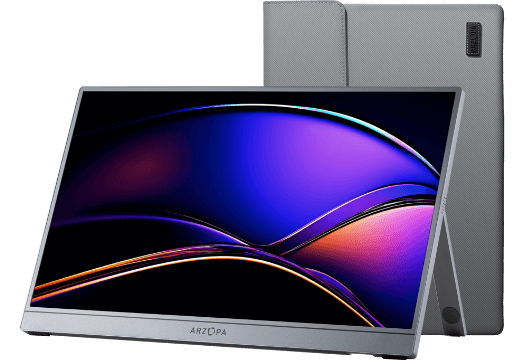
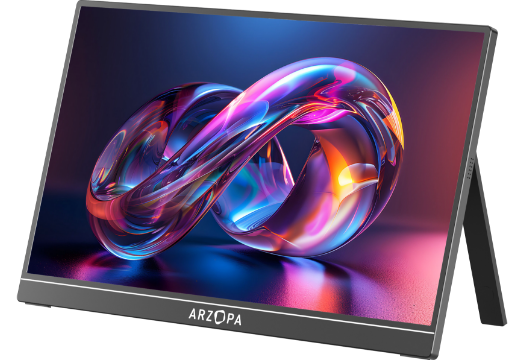
The Real-World Approach: The Arzopa Z3FC
When we look at a monitor like the Arzopa Z3FC, we’re seeing how these manufacturing trade-offs play out in a portable design. It uses an IPS panel, which, as we’ve discussed, is usually the prime candidate for corner glow.
So, how does it handle the "bleed" problem?
It comes down to the chassis. Arzopa has leaned into a more rigid build for the Z3FC to specifically combat the pressure-related leakage that plagues ultra-slim portables. Because the frame doesn't flex as easily when you’re tossing it into a laptop bag, the "sandwich" of display layers we talked about earlier stays better aligned. It’s a practical design choice; by prioritizing structural integrity, the monitor avoids much of the accidental light leakage that usually comes from daily travel.
Of course, no IPS display is entirely immune to the laws of physics—you’ll still see that characteristic wide-angle glow if you look for it—but the Z3FC manages to keep it where it belongs: as a subtle tech trait, not a distracting defect. It’s a solid example of how better assembly can mitigate the inherent flaws of LCD technology.
FAQs
Is a little bit of screen bleeding normal in newly bought devices?
Yes, minor backlight bleed is generally considered normal in new LCD displays due to manufacturing variances and inherent design characteristics. It's typically not noticeable during regular use and often diminishes over time or with environmental adjustments. If it significantly impacts your experience, consider checking the warranty for potential replacement options.
What are some tips for reducing backlight bleed in IPS glow scenarios?
To reduce the appearance of backlight bleed and IPS glow:
Adjust Viewing Distance and Angle: Sit further back and keep the monitor at eye level.
Optimize Display Settings: Lower brightness, adjust contrast, and try warmer color temperatures.
Implement Bias Lighting: Use LED strips behind your monitor to reduce contrast with the environment.
Control Your Environment: Minimize direct light sources behind the display and avoid completely dark rooms.
Allow for a Break-In Period: Some users notice improvements after a few weeks of use.
Check for Physical Issues: Ensure no physical stress on the display.
Consider Professional Calibration: Optimize settings for better image quality.
Use Software Solutions: Adjust localized brightness if possible.
Understand Limitations: Some IPS glow is inherent; set realistic expectations.
Consider Alternative Technologies: VA panels may exhibit less glow but have different trade-offs.