We spend countless hours staring at screens – whether for work, entertainment, or communication. While technology has brought incredible convenience, prolonged exposure to the blue light emitted by our devices can have adverse effects on our eyes and overall well-being. That's where low blue light monitors come into play, offering a simple yet effective solution to reducing eye strain and protecting our vision. In this comprehensive guide, we'll dive into the world of low blue light technology, explore its benefits, and provide recommendations for the best low blue light monitors to suit your needs.
Understanding Low Blue Light Technology
Detailed Explanation of Low Blue Light Technology
Blue light is a type of visible light with relatively high energy and short wavelength. A little exposure to it during the day causes no harm; in fact, it even helps us stay awake and alert. The problem, however, lies in the fact that the blue light emitted by screens is almost always constantly emitted without any moderation. Staring at screens for long periods can easily lead to eye strain and dryness. What’s worse, excessive exposure at night can make you more alert instead of sleepy, completely disrupting your sleep cycle. Over time, your eyes will inevitably send out warning signals.
That is precisely why low-blue-light technology has grown increasingly important. Its core principle is quite straightforward: to selectively reduce the emission of the specific blue light wavelengths that are most irritating to the eyes, which typically fall within the 415–455 nanometer range. There are generally two ways to achieve this: either through hardware-level filter design or via built-in algorithms in the system or display that adjust color temperature. The end result is a screen with an overall warmer tone, which is much less glaring to the eyes. Since your eyes no longer have to endure the harsh impact of high-energy blue light, they will naturally feel more relaxed.

How It Helps Reduce Eye Strain and Improve Sleep
By reducing the amount of blue light emitted by the display, low blue light technology can help alleviate eye strain and fatigue caused by prolonged screen time. This is because blue light scatters more easily than other visible light wavelengths, causing increased glare and making it harder for the eyes to focus. Additionally, blue light exposure, especially in the evening hours, can suppress the production of melatonin, the hormone responsible for regulating sleep-wake cycles. By filtering out blue light, this technology can help maintain normal melatonin levels, promoting better sleep quality and reducing the disruption of circadian rhythms.

The Science Behind Blue Light and Its Effects
Top Features to Look for in a Low Blue Light Monitor
When shopping for a low blue light monitor, there are several key features to consider to ensure optimal eye comfort and protection. Here are some important factors to keep in mind:
Screen Size and Resolution
For a comfortable viewing experience, recommended screen sizes range from 21 to 27 inches for desktop monitors. Common resolutions for low blue light monitors include 1920 x 1080 (Full HD) and 2560 x 1440 (QHD), offering crisp and clear visuals.

Adjustable Blue Light Settings and Filters
Many low blue light monitors offer adjustable settings that allow you to filter out up to 70% of blue light emissions. The ideal color temperature for reducing eye strain is around 3000-5000K, which provides a warmer, more yellow-tinted display.
Flicker-Free Technology
Flicker rates below 100Hz can cause eye strain and headaches for some individuals. Flicker-free monitors operate at a constant brightness level, eliminating any perceivable flicker, ensuring a comfortable viewing experience.

Panel Type and Eye Comfort
The panel type of a monitor can impact eye comfort and color accuracy. IPS panels typically have a contrast ratio of 1000:1, while VA panels can reach up to 3000:1 or higher, providing deeper blacks and better contrast. TN panels generally have lower contrast ratios (around 600:1) and more limited viewing angles compared to IPS and VA.

Refresh Rate and Its Importance
While not directly related to blue light reduction, a higher refresh rate can contribute to a smoother and more comfortable viewing experience. The minimum recommended refresh rate for reducing eye strain is 60Hz, but higher rates like 120Hz or 144Hz can provide an even smoother experience, especially for gaming and fast-paced content, reducing motion blur and stuttering.

By considering these features, you can find a low blue light monitor that not only protects your eyes but also offers an enjoyable and immersive viewing experience.
Best Low Blue Light Monitors for 2025
With the increasing demand for eye-friendly displays, numerous manufacturers have introduced low blue ray monitor to cater to various user needs. Here are some of the top options for 2024 based on different use cases:
1. For Gamers:
ASUS TUF Gaming VG289Q1A:
This 28-inch 4K IPS monitor has a TÜV Rheinland-certified low blue light filter and flicker-free technology to minimize eye strain during long gaming sessions. It also offers a 1ms response time, 170Hz refresh rate, and AMD FreeSync Premium Pro for smooth gameplay.
2. For Office Work:
BenQ GW2785TC
A 27-inch 1080p IPS monitor with BenQ's Brightness Intelligence Plus technology that automatically adjusts brightness and color temperature to reduce eye strain. It has a low blue light mode and is flicker-free certified.
LG 29WN600-W:
This 29-inch ultrawide IPS monitor offers a blue light reduction mode and is flicker-free certified. Its 21:9 aspect ratio provides an immersive workspace for multitasking.
3. For Graphic Designers and Content Creators
BenQ PD2700U:
A 27-inch 4K IPS monitor with 100% sRGB and Rec. 709 color accuracy. It has a low blue light mode, flicker-free technology, and KVM switch for multi-computer setups.
Dell UltraSharp U2723QE:
This 27-inch 4K IPS monitor offers low blue light emissions, 98% DCI-P3 color coverage, and HDR400 for accurate color reproduction. It also has a KVM switch and USB-C connectivity.
4. For Hybrid Work & On-the-Go Users (Portable Monitors)
A Portable Monitor That Actually Feels Comfortable
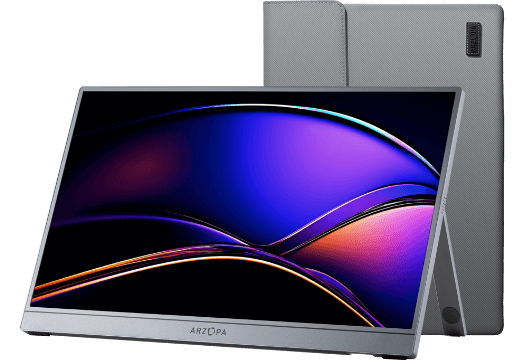
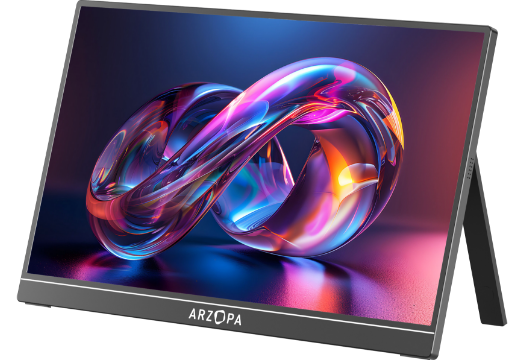
Not all portable monitors are created equal, especially when eye comfort is the priority. Resolution, refresh rate, and color accuracy all play a much bigger role than people expect when you’re working or gaming on the move. This is where the Arzopa Z3FC stands out.
Is the 2.5K resolution really necessary?
Absolutely. Many people think 1080P is sufficient for a 16-inch screen, but once you’ve used the Z3FC’s 2560x1440 (QHD) display, you’ll never go back. On such a compact screen, 2K resolution means ultra-fine pixels. When you play games like Black Myth: Wukong or Cyberpunk 2077, the intricate details of character armor and the reflections in roadside puddles offer a level of clarity that 1080P simply can’t match. For work, too—split two windows side by side, and the text remains sharp, eliminating the need to squint to find the cursor.
180Hz Refresh Rate: More Than Just Speed
Screen Quality: Color Accuracy Is Non-Negotiable
Adjusting Monitor Settings for Optimal Eye Comfort
In addition to choosing the right low blue light monitor, properly adjusting your display settings can further enhance eye comfort and protection. Here are some tips for optimizing your monitor for optimal eye health:
Blue Light Settings
To reduce eye strain from blue light exposure, adjust your monitor's color temperature settings:
- Use a warmer (yellowish) color temperature around 3400K at night or in dim environments. This reduces blue light emission which can disrupt sleep cycles.
- During the day, set a cooler (bluer) color temperature around 6500K to improve focus and concentration.
- Consider using software like f.lux which automatically adjusts the color temperature based on time of day and your location.
Brightness and Contrast
Properly adjusting brightness and contrast is crucial for eye comfort:
- Set the brightness to match the ambient lighting in your workspace, around 75% is a good starting point. Too bright or too dark can cause eye strain.
- Increase the contrast to around 50% so text and images are distinguishable without straining your eyes.
- Use a test image to ensure all shades from black to white are visible at your settings.
Other Tips
- Position the monitor 20-30 inches away, with the top of the screen at or slightly below eye level to avoid neck strain.
- Reduce glare by avoiding window placement behind the monitor and using an anti-glare filter if needed.
- Follow the 20-20-20 rule: every 20 minutes, look 20 feet away for 20 seconds to reduce eye fatigue.
- Use adequate ambient lighting around 500 lux to balance with the monitor brightness.
- Consider blue light filter glasses or screen protectors to further reduce eye strain.
Additional Tips to Reduce Eye Strain
While low blue light monitors and proper settings can significantly reduce eye strain, there are additional tips to consider for maintaining optimal eye health:
Importance of Taking Regular Breaks Using the 20-20-20 Rule
One of the most effective ways to prevent eye strain is to follow the 20-20-20 rule. Every 20 minutes, shift your eyes to look at an object at least 20 feet away for at least 20 seconds.
This allows your eyes to refocus and blink more, which helps reduce dryness and fatigue.
Role of Ambient Lighting and Monitor Placement
Proper ambient lighting is crucial for reducing eye strain. The lighting should be about half as bright as a typical office setting. Position your monitor to minimize glare from windows or overhead lights. Tilt the screen and use blinds or an anti-glare filter if needed. Place the monitor slightly below eye level, about 20-26 inches away.
When to Use External Blue Light Filters
While blue light from digital devices does not directly cause eye strain, some people find blue light filters helpful for reducing glare and brightness. However, there is no strong evidence that blue light filters prevent or treat digital eye strain. They may be worth trying if other methods like proper lighting and regular breaks do not provide enough relief.
Conclusion
Low blue light monitors offer a practical and effective solution, reducing eye strain, improving sleep quality, and promoting overall well-being. By understanding the features to look for and following best practices for optimal eye comfort, you can create a healthier and more enjoyable viewing experience. Don't forget to share your thoughts and experiences with low blue mode monitor in the comments below, and spread the word about this game-changing technology to help others prioritize their eye health. You also can share this article to your friends or on social media that they may be interested in low blue light.
FAQ Section
Here are some frequently asked questions about blue light monitors:
Q: Do low blue light monitors really work?
A: There is no scientific evidence that blue light from digital devices causes permanent eye damage or vision problems. The discomfort some people experience after prolonged screen use is likely due to digital eye strain from reduced blinking and dryness, rather than blue light exposure. Studies have not found significant benefits from using blue light-filtering products like glasses or screen filters for reducing eyestrain or improving sleep quality.
Q: Can reducing blue light improve sleep?
A: Yes, reducing blue light exposure, especially in the evening hours before bedtime, can help improve sleep quality. Blue light suppresses the production of melatonin, the hormone that regulates the sleep-wake cycle. Limiting screen time and using nighttime settings or apps that reduce blue light emission from devices a few hours before bed can help maintain normal melatonin levels and circadian rhythms for better sleep.
Q: Are there any downsides to using low blue light technology?
A: While blue light exposure at night can disrupt sleep, some experts caution that completely blocking blue light could have unintended consequences. Blue light during the day is beneficial for boosting alertness, mood, and cognitive function. It also plays a role in circadian rhythm regulation and may be important for vision development in children. Excessive blue light filtering could potentially interfere with these positive effects. Moderation and limiting blue light exposure primarily in the evening hours is recommended.


![[Top picks] Xmas Gift Ideas for Teachers in 2025](http://www.arzopa.com/cdn/shop/articles/xmas-gift-ideals-for-teachers_7de59833-05ed-4a3b-9d3f-e07289eb37be.webp?v=1765877572&width=1)