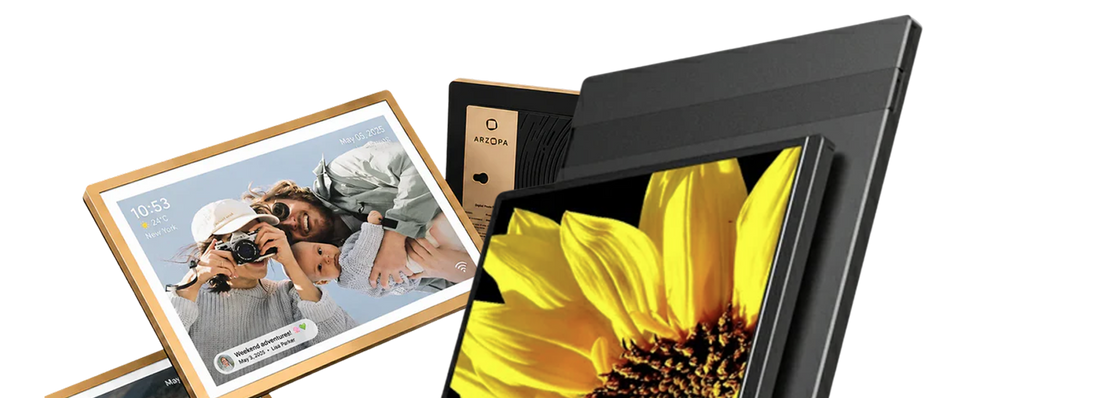
Skylight is the easier choice when relatives need to email photos without creating an account and the recipient wants a compact, straightforward frame. ARZOPA D14 is the stronger fit when photos need to be visible across a room and the family wants a larger touchscreen, higher resolution, more built-in storage, and a shared ARZOPA App album.
This comparison covers the standard 10-inch Skylight Frame, not Skylight Calendar. We compare it with the 14-inch ARZOPA D14 so you can choose based on where the frame will live and how your family will actually use it.
ARZOPA D14 vs Skylight Frame at a glance
| Feature | ARZOPA D14 | Skylight Frame (standard 10-inch) |
|---|---|---|
| Screen | 14-inch IPS touchscreen | 10-inch color touchscreen |
| Resolution | 1920 × 1200 | 1280 × 800 |
| Built-in storage | 64GB | 8GB, advertised for up to 8,000 photos |
| Main sharing method | ARZOPA App shared album | Skylight App or a dedicated frame email address |
| Can contributors email photos? | No verified email-upload feature | Yes; contributors do not need an account or subscription |
| Cloud storage and subscription | Free unlimited cloud storage; no subscription currently advertised | Core photo sharing works without a subscription; Frame Plus is optional |
| Offline playback | Stored photos and videos remain available; new remote uploads require Wi-Fi | Existing photos remain viewable in Offline Mode; new uploads require Wi-Fi |
| Gift preloading | Supported through the ARZOPA App | Supported through Gift Mode without unboxing |
| Sleep controls | Smart sleep | Sleep schedule |
| Computer transfer | Type-C transfer from a Windows PC is listed; not supported for Mac transfer | Not included in this comparison because no equivalent method was verified in the source set |
Specifications and service terms were checked against official ARZOPA and Skylight materials on July 30–31, 2026. Prices are omitted because promotions change. See the source and publication notes at the end of this draft.
First, this is about Skylight Frame—not Skylight Calendar
Search results for “Skylight alternative” often mix two different products. Skylight Frame is a digital photo frame made for displaying and receiving family photos. Skylight Calendar is a household scheduling display. They solve different problems, so calendar dashboards, chore charts, and scheduling subscriptions do not belong in this comparison.
From here on, “Skylight” means the standard 10-inch Skylight Frame unless another model is named.
The biggest difference is how the family sends photos
The screen specifications matter, but the sharing routine usually determines whether a frame stays current six months after it is opened.
Skylight: email is the shortcut
Each Skylight Frame gets a dedicated email address. A relative can send a photo to that address without setting up an account or paying for a subscription. The free Skylight App is available for people who prefer an app, but email keeps the contribution process familiar for occasional senders.
Imagine a sibling taking one good photo at a school recital. With Skylight, they can attach it to an email, send it to the frame, and move on. That low-friction route is useful in a large extended family where not everyone wants another app on their phone.
Email convenience comes with a practical consideration: the frame address needs to be shared with the right people. Families should treat it like a private album address rather than posting it publicly.
ARZOPA: the family builds one shared album in the ARZOPA App
ARZOPA D14 uses the first-party ARZOPA App—not Frameo. Multiple family members can contribute photos and videos, react with likes, and interact with the shared collection remotely. The experience is closer to maintaining a family album together than sending occasional files to an inbox.
That approach fits a household where parents, adult children, or siblings already expect to keep a shared space updated after trips, birthdays, and ordinary weekends. The initial habit asks more of contributors because they need the app, but it also gives the family one intentional place to manage what reaches the frame.
Neither workflow is universally easier. Skylight removes a step for occasional contributors; ARZOPA gives active contributors a more connected album experience.
A 14-inch frame and a 10-inch frame do not belong in the same spot
ARZOPA D14 has a 14-inch 1920 × 1200 IPS touchscreen. The standard Skylight Frame uses a 10-inch 1280 × 800 touchscreen. Those numbers translate into different placement choices.
The D14 makes more sense on a kitchen counter, living-room console, or shelf where people will see it from several feet away. Faces, group shots, and small details have more room to register, and the higher resolution supports the larger display. The extra screen area also makes on-frame swiping and menu controls easier to see.
Skylight’s smaller footprint is an advantage on a bedside table, narrow bookshelf, or crowded side table. It asks for less surface space and still gives the recipient direct touchscreen controls. If the frame will mostly be viewed from arm’s length, a 10-inch display may be the more natural fit.
Measure the intended surface before choosing. A larger screen is useful only when the frame has enough room to sit comfortably without taking over the space.
What happens when Wi-Fi stops working?
Both frames can continue showing media that has already been saved on the device. A temporary internet outage does not turn either one into a blank screen. What stops is remote delivery: new app or email uploads must wait until the frame reconnects.
Skylight includes 8GB of built-in storage and advertises capacity for up to 8,000 photos. Its official Offline Mode keeps existing photos viewable without Wi-Fi. ARZOPA D14 has 64GB of built-in storage and currently advertises free unlimited cloud storage. Its larger local capacity gives a growing photo and video library more room on the device.
Storage capacity and upload method are separate questions. Local storage determines how much media the frame can keep available; Wi-Fi determines whether distant family members can send something new at that moment.
ARZOPA also lists Type-C file transfer from a regular Windows PC. The current product information says that computer-transfer feature does not apply to Mac computers, so Mac households should plan to use the ARZOPA App for routine sharing.
Both make good gifts; the setup habit is different
Both brands let the buyer load photos before the recipient starts using the frame. Skylight’s Gift Mode is designed for preloading without unboxing the device. ARZOPA lets the giver prepare the shared album through the ARZOPA App. In either case, the recipient can turn on a frame that already feels personal instead of opening to an empty screen.
The better gift depends on what happens after that first day.
Skylight is a strong fit when cousins, siblings, and family friends will contribute only occasionally. Email asks them to do something they already know, and they do not need a Skylight account or a paid plan to send a photo.
ARZOPA D14 fits a family that wants the frame to become a shared household object. Several people can maintain the album in the ARZOPA App, add both photos and videos, and respond to new memories. Its larger display also helps when the gift will sit in a common area where people view it from across the room.
There is no need to assume that a grandparent cannot use a touchscreen or an app. A more useful question is who will handle the initial setup and which contribution method the family will keep using. Preload the frame, connect it to Wi-Fi, and show the recipient the two or three controls they will use most. That small handoff matters more than age-based labels.
For a broader look at setup and ongoing use, see the ARZOPA digital frame setup guide.
Subscription questions are less dramatic than they first appear
You can use the standard Skylight Frame for its core purpose without a subscription. The free Skylight App and email sharing cover normal photo delivery, and contributors can email photos without creating an account. Skylight also offers Frame Plus as an optional service, but the existence of that plan does not make the standard photo-sharing workflow subscription-only.
ARZOPA currently advertises D14 with free unlimited cloud storage and no subscription. For families comparing a digital photo frame without a subscription, that means there is no recurring plan required for the advertised D14 sharing and storage experience.
“No subscription required” should not be confused with unlimited local storage or offline remote uploads. ARZOPA D14 has 64GB of built-in storage, while the standard Skylight Frame has 8GB. Both need Wi-Fi to receive new media from somewhere else. Optional services, cloud allowances, file limits, and plan features can change, so check the current terms before buying if one specific service is essential to you.
Choose by the situation, not by the longest feature list

Use the way your family shares photos and the frame’s intended location as the tie-breakers:
- Relatives need to send photos by email without an account: Choose Skylight.
- The frame will sit on a narrow bedside or side table: The compact 10-inch Skylight Frame is easier to place.
- Photos need to be visible across a kitchen or living room: The 14-inch ARZOPA D14 is the stronger fit.
- The family wants to maintain a shared app album: Choose ARZOPA D14 for its first-party app, multi-user sharing, photo and video support, and lightweight interactions.
- Existing photos must keep playing during an internet outage: Both work. New remote uploads will wait for Wi-Fi.
- More built-in storage matters: ARZOPA D14 provides 64GB compared with Skylight’s 8GB.
- You want to preload the gift before handing it over: Both support it; choose the sharing method the family is more likely to keep using.
Our verdict
ARZOPA D14 is our recommended Skylight frame alternative for a shared living space and an actively maintained family album. Its 14-inch 1920 × 1200 touchscreen gives photos more presence across a room, while 64GB of built-in storage and the ARZOPA App support a larger, collaborative collection.
Skylight remains a credible choice when compact placement and very low-friction email contribution matter most. A relative can send a photo without creating an account, and the standard 10-inch frame takes up less room on a crowded table.
The practical decision is simple: choose Skylight for email-first sharing in a smaller space; choose ARZOPA D14 for a larger display and an app-based family album.
Frequently asked questions
Is ARZOPA a good Skylight frame alternative?
Yes. ARZOPA D14 is a strong Skylight photo frame alternative when you want a larger 14-inch touchscreen, 1920 × 1200 resolution, 64GB of built-in storage, and a shared app album. Skylight may fit better if email contribution and a compact 10-inch frame are your priorities.
Is ARZOPA better than Skylight?
ARZOPA D14 is better suited to a shared room, a larger media library, and a family that wants to manage photos and videos in one app. Skylight is better suited to compact placement and relatives who want to email photos without opening an account. The better frame depends on which routine your family will actually use.
Can you use Skylight Frame without a subscription?
Yes. The standard Skylight Frame can receive photos through its dedicated email address and the free Skylight App without a subscription. Frame Plus is optional. Current plan features and terms should still be checked before purchase if a specific paid feature matters to you.
Can ARZOPA D14 work without Wi-Fi?
ARZOPA D14 can continue displaying media already stored on the frame when Wi-Fi is unavailable. It needs an internet connection to receive new remote uploads through the ARZOPA App. Its advertised cloud features also depend on connectivity.
Can family members send photos remotely to both frames?
Yes, when the frames are online. Family members can use the ARZOPA App to add photos and videos to D14. With Skylight, they can use the Skylight App or email photos to the frame’s dedicated address. New remote uploads will not arrive until an offline frame reconnects.
Which frame is easier for grandparents?
Choose based on the person, not their age. Skylight’s email workflow is convenient when relatives want to send photos with minimal setup. ARZOPA D14’s larger screen and controls can be easier to see across a room, especially when one family member prepares the app and album in advance. Both support preloading before the frame is given as a gift.
Does ARZOPA use Frameo?
No. ARZOPA D14 uses the first-party ARZOPA App. It should not be described as a Frameo frame, and searches such as “Frameo vs Skylight” refer to a different comparison.
Which frame has more built-in storage?
ARZOPA D14 has more built-in storage: 64GB compared with 8GB in the standard 10-inch Skylight Frame. Skylight advertises its 8GB capacity as suitable for up to 8,000 photos.
Is this comparison about Skylight Calendar?
No. This article compares ARZOPA D14 with the standard 10-inch Skylight digital photo frame. Skylight Calendar is a separate scheduling display and is outside the scope of this comparison.

![How Much Brightness & Contrast Is Good for Eyes? [2026] - Arzopa](http://www.arzopa.com/cdn/shop/articles/how-much-brightness-contrast-is-good-for-eyes-2026-3024228.jpg?v=1788850861&width=1200)