


ARZOPA C1 14" Digital Calendar
- Subscription-Free: A digital calendar without subscription for busy families. Core smart family calendar features are included from day one.
- Family Command Center: Keep schedules, chores, meals, lists, and photos in one shared display. A family command center calendar made for everyday home life.
- Shared Calendar & Smart Sync: Sync Google, Apple, Outlook, and more into one family calendar. View daily, weekly, and monthly plans at a glance.
- Chore Chart Calendar for Kids: Assign chores, routines, and rewards for kids. This chore chart calendar helps tasks get seen and done.
- Meal Planning: Plan weekly meals and manage shopping lists in one place. A family calendar with meal planning helps reduce dinner-time stress.
- Smart Import & Easy Setup: Quickly add events with voice input, image recognition, or smart import. Turn school emails, invites, flyers, and screenshots into calendar events.


 Free & Fast Shipping
 2-Year Warranty
 30-Day Money Back


Organize Your Family. Display Every Memory
Keep your family’s schedules, tasks, and memories in one shared view. When you’re not planning, C1 becomes a digital picture frame for your favorite moments.


Keep the Whole Family in Sync
Share schedules, manage family members, and sync updates anytime from apps. Everyone can see the plan. Everyone can stay on track.


Buy Once. Enjoy Everything.
No monthly fees. No hidden costs. All essential features included from day one.

Meal Planning Made Simple
Plan meals ahead, reduce the daily “What should we eat?” question, and keep your family’s weekly food routine in one easy-to-see place.

Grocery Lists - No More Forgotten Essentials
Add everyday essentials and keep your shopping list visible at home. From milk and bread to school supplies, everyone can see what needs to be picked up.


Chore Charts That Keep Everyone Involved
Turn everyday responsibilities into clear, manageable tasks. Create and assign chores, track progress, and help children build better habits with a digital calendar that keeps everyone accountable.

Build Good Habits, Celebrate Every Win
Motivate kids with rewards feature and celebrate small achievements. Set goals, track progress, and make daily routines more rewarding for kids.


Al Makes Planning Easier
Spend less time typing and more time getting organized. Use voice input to quickly add schedules, tasks, recipes, and important information.

Add Plans in Seconds by Photo Import
Capture a note, menu, screenshot, or invitation and quickly add the information. Just snap. Events & to-dos upload automatically.
A Digital Calendar by Day. A Photo Frame by Choice.
When you are not checking the schedule, Arzopa C1 can display your favorite family photos. It fits naturally into your home as both a useful digital wall calendar and a personal photo display.


Manage From Anywhere With The Arzopa App
Plans may change throughout the day. Update schedules from your phone, and keep your Arzopa C1 display up to date wherever you are.

Share the love

Emily R.
“This digital calendar has become our family command center. School events, soccer practice, chores, and dinner plans are finally in one place where everyone can see them.”

Jason M.
“I love that there’s no subscription. We get the shared calendar, chore chart, meal planning, shopping lists, and photo display without paying another yearly fee.”

Sarah L.
“The chore chart calendar has made our mornings so much smoother. My daughter checks her tasks on the screen instead of asking me what she needs to do next.”

Rachel B.
“Meal planning is so much easier now. I can plan the week, keep our shopping list updated, and stop answering ‘what’s for dinner?’ every single day.”

Michael T.
“It’s the perfect kitchen digital calendar for our busy family. We sync our schedules, update plans from the app, and use it as a digital picture frame when the day is done.”
“This digital calendar has become our family command center. School events, soccer practice, chores, and dinner plans are finally in one place where everyone can see them.”
“I love that there’s no subscription. We get the shared calendar, chore chart, meal planning, shopping lists, and photo display without paying another yearly fee.”
“The chore chart calendar has made our mornings so much smoother. My daughter checks her tasks on the screen instead of asking me what she needs to do next.”
“Meal planning is so much easier now. I can plan the week, keep our shopping list updated, and stop answering ‘what’s for dinner?’ every single day.”
“It’s the perfect kitchen digital calendar for our busy family. We sync our schedules, update plans from the app, and use it as a digital picture frame when the day is done.”


FAQs
Does Arzopa Digital Calendar require a subscription?
Does Arzopa Digital Calendar require a subscription?
No. Arzopa Digital Calendar is a digital calendar without subscription. Core family features such as shared calendar, chores, meal planning, shopping lists, photo display, and app control are included from day one.
How is Arzopa different from other smart family calendars?
How is Arzopa different from other smart family calendars?
Many smart family calendars require a paid plan for advanced features like meal planning, photo slideshow, rewards, or smart import. Arzopa is designed to include essential family organization tools without another yearly bill.
Can Arzopa sync with Google Calendar, Outlook, and other calendars?
Can Arzopa sync with Google Calendar, Outlook, and other calendars?
Yes. Arzopa supports calendar syncing so your family schedules can stay updated in one shared display. In detail, it can seamlessly auto-syncs with: Google, Outlook, Apple, Hotmail, Cozi, Lark and Teamsnap. It helps bring work, school, family, and activity calendars together in one place.
Can it help manage chores and routines for kids?
Can it help manage chores and routines for kids?
Yes. Arzopa works as a digital calendar with chore chart features. Parents can manage chores, recurring routines, tasks, and rewards so kids can clearly see what needs to be done.
Does it support meal planning and shopping lists?
Does it support meal planning and shopping lists?
Yes. Arzopa includes meal planning and shopping list features, making it easier to plan weekly meals, prepare groceries, and reduce the daily “what’s for dinner?” stress.
Can it be used as a digital picture frame?
Can it be used as a digital picture frame?
Yes. When you are not checking schedules or tasks, the 14-inch display can show family photos, turning the calendar into a digital picture frame for kitchens, entryways, desks, and shared family spaces.
Is Arzopa Digital Calendar easy for the whole family to use?
Is Arzopa Digital Calendar easy for the whole family to use?
Yes. It is designed as a family command center calendar for busy households. Family members can view schedules, chores, meals, and lists at a glance, while parents can update plans from the app or device.
How do I download the Arzopa app?
How do I download the Arzopa app?
Visit https://www.arzopa.com/pages/download, select the version for your device, and follow the on-screen instructions to install. If you run into any trouble, feel free to reach out to our support team.
This digital calendar has been a fantastic addition to keeping our household organized.
Display & Build: The 14-inch screen is sharp, vibrant, and looks sleek on the desk or counter without being an eyesore. It's the perfect desktop size.
App & Setup: Setting up the companion app was completely painless. Connecting to Wi-Fi and syncing schedules took only a few minutes, with clear step-by-step prompts.
Ease of Use: Day-to-day navigation is smooth and responsive. Adding events, managing chores, and viewing daily meal plans is straightforward enough that anyone in the house can interact with it without confusion.
Value: Not having to worry about a monthly subscription fee while getting full scheduling functionality makes it well worth it.
Highly recommended if you want an easy, attractive way to keep family schedules in sync!

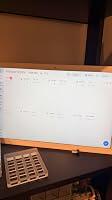
I got this smart digital calendar for my living room, and I really love it.
One of my favorite things about it is being able to add family pictures and use it as a digital picture frame. It makes it feel much more personal than having just a regular calendar sitting in the room. I especially like seeing the time displayed in front of the pictures because it looks really nice while still being useful.
The large screen is clear and easy to see, and I like having our calendar information in one place. Being able to connect different calendars and make updates without paying for a subscription is another big plus.
There are a lot of extra organizational features available, but honestly, I enjoy it just as much for displaying my family photos when I am not using the calendar.
It looks great in my living room and gives me a nice combination of family memories, time, and organization all on one screen.
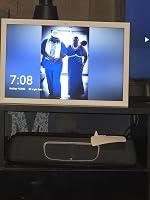
We have 5 adults and one child in our house, so coordination of schedules and lists are essential to keep everything running smoothly. Up until this point, this was done using a series of dry erase boards that took a considerable amount of time to update and keep accurate. We needed a better solution, so when I saw this digital calendar, I knew it was an easier solution to our problem.
The calendar itself is fairly easy to setup and get going. The app that connects to it is easy to use and didn't take long for me to set myself up as the owner and add the members of my family. Setting up chores was simple, as well as adding schedules to the calendar. I really like the grocery list and the menu functions. Adding your menu items to the calendar makes it easy to keep track of ingredients and pull them up in later weeks.
The calendar is basically the size of a closed laptop, but has a stand built into the case which makes it unsuitable for wall mounting, but it does sit well on the counter. The case seems sturdy, looks good, and the screen is bright and easy to read. The touchscreen is responsive and seems easy to use by everyone in the house. We have been using it for weeks and it has efficiently replaced our old system.
Everyone in the house likes this new system and it has allowed my wife to coordinate her patient schedule so we know when she has people in person, as well as keeps my daughter's college schedule available. It is very well priced and competes well with the other calendars similar to it. There is no subscription cost and, so far, we have not experienced any kind of issues or problems with it. Well worth the money.
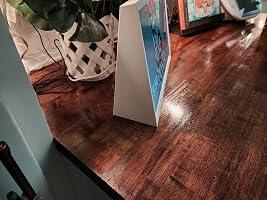
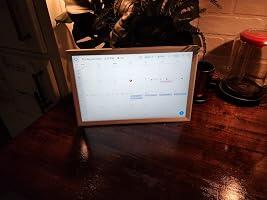
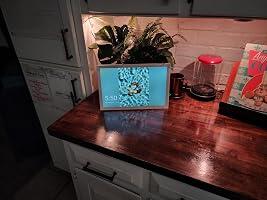
We have kids with school, activities, chores, appointments, and everything else that seems to pile up during the week, so I wanted something that would put everything in one place where everyone could see it.
The 14-inch screen is a really nice size. It's big enough that you can easily see the schedule from across the room without having a giant screen hanging on the wall. The touchscreen is responsive, and the display is sharp and easy to read.
I especially like the chore chart. Instead of constantly reminding the kids what they're supposed to be doing, they can actually look at the screen and see it themselves. Whether they actually DO the chores is another story.
The meal planning feature is handy too. Having meals, chores, appointments, and the family calendar together makes it much more useful than just having another digital calendar.
One of the biggest selling points for me is that there's no subscription. I really don't need another monthly charge just to use something I already bought.
Overall, this has been a great addition for keeping our family a little more organized. It's easy to use, looks good, and puts everyone's schedule in one place.
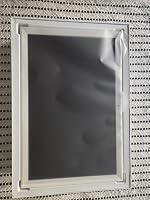
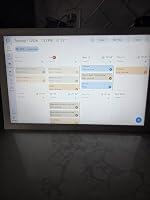
I love this digital calendar, but more for the fact that it can be a digital picture frame. It does a great job for calendar and chore charts, but the 14" frame for digital photos is amazing. It can be used horizontally or vertically. It's very stable on a counter or table/desk. It's very easy to use, and it makes my life a lot easier. The instructions included are very informative. This is a very high quality piece of equipment, and it's very good craftsmanship. It's a little expensive, but it's well worth the price. I really, really like this item. I highly recommend it.


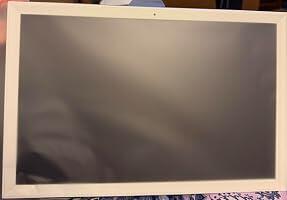

This digital chore planner is a genuinely neat product that helps keep my life organized and largely stress‑free. When the schedule view shows no remaining room, it is an immediate visual reminder that I cannot “multitask” and try to do two major tasks simultaneously, which has made my day more realistic and manageable.
I highly recommend this ARZOPA 14.0" Digital Calendar Chore Chart and Meal Planner based on its usability, fun factor, durability, and overall value for the money.
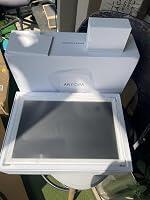
I'm a huge fan of my Arzopa portable monitor--this calendar sucks.
The digital monitors are flat with an adjustable kickstand; this has a curved back which keeps it up. But that means you can't change the angle it's standing at, and it can't be hung from the wall.
The weather automatically populates. It won't let you change the location, so the weather is wrong.
All day events display over 2 days. Although I confirmed the correct timezone is selected, it's clearly not matching up. Very annoying. I submitted a bug report a few days ago, but no fix yet.
Easy to pair with my existing calendars. Set up was quick, but it does require that you download and use the Arzopa app to pair your calendars. Once paired, you don't have to use the app anymore.
The weekly calendar displays as a grid of 8 (4 on top and 4 on the bottom). The last square shows zero useful information. I wish there was a way to choose what's displayed there rather than just telling me the next week is from Aug 3-9.
I like that I can set the colors for each paired calendar.
The screen is small.
*update: the all-day event issue and weather have been resolved!
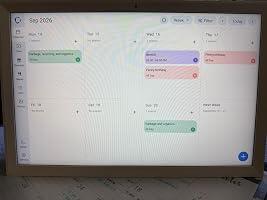
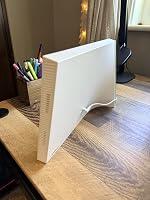
This digital calendar is an excellent product that offers far more than basic calendar functionality. It includes a wide range of features that make it a valuable organizational and family planning tool, while remaining simple to set up and use.
The initial setup process is straightforward. You simply create an account through the company's website or mobile app. During the device startup, you connect it to your Wi-Fi network, after which it displays a QR code that you scan with the app to link the device to your account. Once completed, the calendar is ready to use within minutes.
The companion app allows you to connect multiple calendar services, enabling your existing calendars to sync automatically. You can also upload personal photos that are displayed as a slideshow whenever the calendar is idle. A simple tap on the screen instantly returns you to the calendar view.
Beyond scheduling, the app includes several thoughtful features. You can create meal plans that appear on a dedicated tab, and the built-in recipe assistant is particularly impressive. By taking a photo of the ingredients you have available—along with specifying a protein—it can suggest recipes based on what you already have. Best of all, these features are available without requiring a paid subscription.
Overall, this is a well-designed product that I would highly recommend. While some reviewers have commented on the size of the base, it likely houses the hardware required for the device's capabilities. It also provides excellent stability, so the tradeoff is well worth it. The mobile app is intuitive enough that even someone with limited technical experience should have no trouble setting it up. Once your calendars are synchronized, there is very little ongoing maintenance required unless you want to take advantage of the additional features offered by the app.
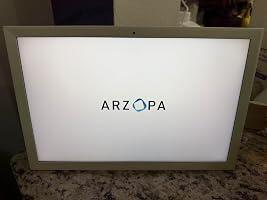
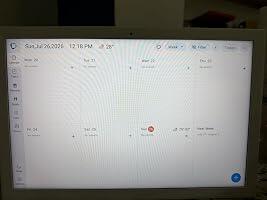
I really like how customizable this smart calendar is and that you can display your own photos on it when it’s not in use—it looks great sitting on a shelf or cabinet (just keep in mind it’s designed for desktop/countertop placement, not wall mounting). Syncing our family schedules without any subscription fees is a huge plus, and having the meal planning and photo frame features built-in keeps everything organized in one spot. My only real complaint is that the app could definitely use an update to make navigating and setting things up a bit smoother, but overall it’s a solid, functional piece for the home.
We have used this calendar a lot, but no one more than my 6 year old daughter. She LOVES that all her "chores" are on the digital display and she can check each one off. You can even add points for them to earn for each thing to redeem for a prize. It's SUPER customizable. On the calendar part you can add each person of the family and which ones pertain to whatever is happening on that day. It has an app that you can sync with the calendar and it has made our day to day lives a lot easier.
I received this through the Amazon Vine program and am sharing my honest experience. Unlike some digital family planners, this calendar does not attach to the refrigerator. It is a stationary display that rests on its own stand, so it will need an appropriate counter, desk, or shelf.
Setup was easy, and I was able to sync both my personal Google Calendar and our family Google Calendar through the ARZOPA app. I especially like the built-in meal-planning tools, shared task lists, and rewards system.
The app allows you to create individual task lists for each family member and assign reward points for completing those tasks. I tested this by creating a few responsibilities and adding point values. Although my children are older now, I can still see myself using this with my teenager.
Parents of younger children may find the feature especially helpful. It feels like an updated and more engaging version of a whiteboard chore list combined with a sticker chart. Because the display has a touchscreen, the person completing a task can check it off directly. That small interaction can create its own sense of satisfaction while allowing everyone to see what has been completed.
The calendar can also connect with and display photos, although I do not plan to load many onto it. I have not yet been able to get the weather feature to recognize my actual location, so the displayed forecast has not been useful for me.
Our greatest disappointment was discovering that the device does not play sound. We had hoped to use it for music as part of a central family hub, but that is not possible. For a device that combines calendars, to-do lists, gamified individual task lists, meal planning, rewards, and photos, audio seems like a natural feature to include.
At approximately $200, I expected this to be more than a digital calendar and chore display. The planning tools are useful and thoughtfully designed, but the inability to play music, along with my difficulty setting the correct weather location, makes the price feel high.
Overall, this offers a modern and interactive way to manage family schedules, meals, and responsibilities. However, buyers should understand that it is a silent planning display rather than a complete multimedia family hub.
ARZOPA 14.0" Digital Calendar Chart No Subscription Not Wall Mountable | Chore Meal Planner 1920*1200P Interactive Touchscreen Smart Family Planner for Seamless Scheduling Gifts for Mom DadARZOPA 14.0" Digital Calendar Chart No Subscription Not Wall Mountable | Chore Meal Planner 1920*1200P Interactive Touchscreen Smart Family Planner for Seamless Scheduling G…
easy to set up. great quality
This digital calendar has made a real difference in how our household stays on the same page. The touchscreen is responsive and easy to use, and the resolution is sharp enough that everything is clear and easy to read at a glance. Setting up chores, meal plans, and schedules for everyone has been simple, and it's nice having it all in one central place instead of juggling separate lists or apps.
No subscription needed is a huge plus too, feels like a one-time investment rather than an ongoing cost just to keep using the features. It's become a natural part of our routine, checking it each morning to see what's on the agenda for the day.
Great gift idea for parents or anyone managing a busy household. Easy to set up and genuinely useful day to day. Would recommend.
The touchscreen responds quickly to taps and swipes. Setting up shared calendars and chore lists took less than fifteen minutes. The high-resolution display remains visible from across the room. No monthly fees means the device pays for itself over time. Aesthetically, it looks sleek on the wall without protruding cables. At this price point, the feature set feels well balanced for household use.
This 14-inch ARZOPA display combines several household organization tools into one touchscreen rather than requiring separate calendars, chore charts, and meal planners. The 1920 x 1200 resolution provides enough screen space and clarity to make schedules easy to read at a glance. The interactive touchscreen is especially useful in a family setting because information can be managed directly from the display instead of treating it like a passive digital picture frame. Chore and meal-planning functions make it useful for coordinating everyday household responsibilities in addition to appointments. One of the biggest advantages is that the core concept doesn't depend on adding another subscription just to keep using the device. At 14 inches, it's large enough to serve as a central family information display without taking over an entire wall.
This digital calendar and chore chart is a great way to keep everyone organized in one convenient place. The 14-inch screen is a nice size and easy to see, and the 1920 × 1200 resolution makes everything look clear and sharp. I really like having the calendar, chores, and meal planning features together instead of needing multiple apps or paper lists. The best part is that there’s no subscription required, which makes it even more useful. A great organizational tool for the home!
I’m a huge ARZOPA fan and own three of their portable monitors and a picture frame. I had high hopes this calendar would be as good as those monitors. Unfortunately, it’s not quite up to that standard, but I think a software update could solve a lot of the problems.
There are some issues with the time/timezone that messes up entries. Also, the weather details don’t seem to be accurate to my location. You can’t reorder tasks on a to-do list once you put them in.
All of those things can be fixed with a software update and I’m hopeful ARZOPA is working on that! One thing they can’t fix though, is that the depth of this frame is a little thicker than I was expecting. It feels bulky and takes up space. That being said, it's very sturdy.
All that being said, I’m still happy with the purchase. It’s very convenient to sync your calendars and be able to see them at a glance. The screen is nice and bright. The frame is decent looking.
My star ratings explained:
5 stars = Exceptional. I recommend to friends.
4 stars = Exceeded expectations.
3 stars = Met expectations. Satisfied with purchase but not overwhelmed.
2 stars = Failed to meet expectations but usable.
1 star = Avoid
The whole family finally on the same schedule!
Tried shared calendar apps before, but getting everyone to actually check their phones consistently never really worked; having a dedicated screen mounted in a common area changed that completely. The 14-inch touchscreen is large enough to read from across the room without squinting, and the 1920x1200 resolution keeps everything crisp and easy to parse at a glance. Touchscreen response is smooth and accurate, with no lag or missed taps when updating entries on the fly.
Meal planning and chore chart features built right in are what set this apart from just a digital picture frame with a calendar bolted on; everything is in one place without needing separate apps or whiteboards scattered around the kitchen. No subscription fee is a genuine selling point; paid once and it just works without a monthly charge creeping onto the credit card bill. Setup was straightforward and intuitive enough that everyone in the house figured it out without a tutorial. Solid gift for any household that needs a central scheduling hub that people will actually use.


