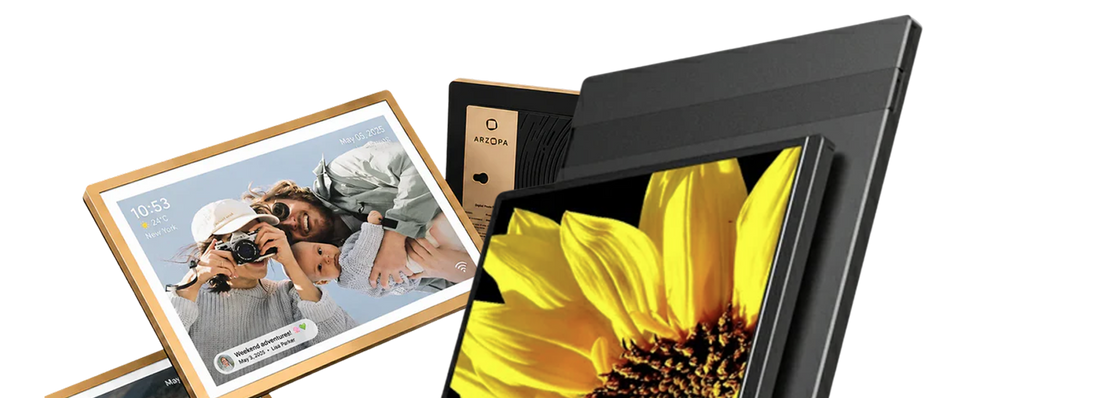
To maximize the functionality of a portable monitor, several accessories can significantly enhance your experience. These accessories not only improve usability but also ensure better performance and convenience. Below is a detailed exploration of the essential accessories that complement portable monitor functionality.
Essential Accessories for Portable Monitors
1. Stands and Mounts
Portable monitors often lack built-in stands that provide ergonomic viewing angles. Investing in a stand or mount can greatly enhance comfort and usability by allowing you to adjust the height and angle of the monitor. Some stands even support portrait mode, which is beneficial for tasks like coding or reading long documents.
- Adjustable Stands: These allow for height and angle adjustments, promoting better posture.
- VESA Mounts: For those who prefer a more permanent setup, VESA mounts can free up desk space and offer flexible positioning options.

2. Cables and Adapters
Connectivity is crucial for portable monitors. Most models utilize USB-C for both power and data transfer, but having a variety of cables can prevent compatibility issues with different devices:
- USB-C Cables: Essential for most modern laptops; ensure you have extras on hand.
- HDMI Cables: Useful for connecting to devices that do not support USB-C.
- Adapters: If your laptop lacks USB-C ports, adapters can bridge that gap effectively.
3. Audio Solutions
While many portable monitors come with built-in speakers, they often lack sufficient sound quality. To enhance audio experiences:
- External Speakers: Bluetooth or wired speakers can provide richer sound for movies and games.
-
Headphones: For personal use, quality headphones can significantly improve audio clarity.

4. Protective Cases and Sleeves
Transporting a portable monitor requires protection against damage:
- Sleeves and Cases: These accessories safeguard your monitor from scratches and impacts while on the move.
-
Screen Protectors: A tempered glass screen protector can prevent scratches and maintain display quality.

5. Docking Stations and Hubs
For users who frequently switch between devices, a docking station or hub can streamline connectivity:
-
USB Hubs: Expand available ports on your laptop, allowing multiple connections without hassle.
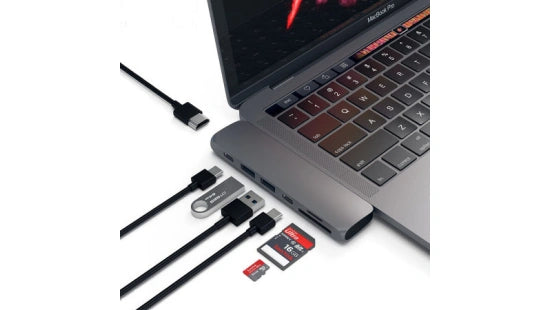
- Docking Stations: These often include power delivery features, enabling you to charge your laptop while using the monitor.
6. Power Solutions
Some portable monitors may require additional power sources:
- Power Banks: A high-capacity power bank can keep your monitor running when you're away from outlets.
-
Extra Chargers: Having an additional charger specifically for your monitor can be convenient for travel.

7. Software Enhancements
While not physical accessories, software solutions can enhance the functionality of portable monitors:
- Display Management Software: Tools like DisplayFusion or Duet Display allow for better window management across multiple screens.
- Calibration Tools: Software that helps calibrate color settings can improve visual accuracy for design work.
Editor Recommendation: Arzopa Z1FC Portable Monitor
Compatible with mltiple devices, including phones, tablet, game consoles like Nintendo Switch and PS5, and more. Professional-grade image quality, with a 144Hz refresh rate, delivers unparalleled clarity and response speed for design, video editing, and everyday use!

ARZOPA Z1FC Portable Gaming Monitor
- 16.1" FHD Display (1920 x 1080) with 144Hz refresh rate
- 106% sRGB color gamut for vibrant visuals
- USB-C and HDMI connectivity
- Lightweight (1.7 lbs) and slim (0.5" thick)
Conclusion
Incorporating these accessories will not only enhance the functionality of your portable monitor but also improve your overall productivity and comfort. From adjustable stands to quality audio solutions, each accessory plays a vital role in creating an efficient workspace tailored to your needs. As portable monitors continue to grow in popularity, understanding how to optimize their use with the right accessories becomes increasingly important for both casual users and professionals alike.

![How Much Brightness & Contrast Is Good for Eyes? [2026] - Arzopa](http://www.arzopa.com/cdn/shop/articles/how-much-brightness-contrast-is-good-for-eyes-2026-3024228.jpg?v=1788850861&width=1200)